How To Route using NPM
Configuring DNS Name
First you need to make sure that an DNS name is assigned to the server. For this you need can refer to How To Add DNS guide.
An example DNS entry is:
DNS Record:
Type: A
Host: your-app.rit.services
Value: 85.214.190.232
your-app.rit.services is the url you want to deploy your app on.
85.214.190.232 is the IP of server you want to deploy your app on.
Creating a Docker Container
Go to Portainer to deploy a docker container. Once a docker container is deployed note the internal port number and name of the Docker container.
Warning
Ensure that you are in the same docker network ad the nginx proxy manager. For now the name of the docker network is npm-proxy-network. Please ensure that your container is in this network otherwise the NPM won't be able to access you container and you would get Error 502 Bad Gateway Error.
Warning
Please Make sure that you don't expose an external port for the docker container.
Nginx Proxy Manager Setup
- Go to NPM to setup the DNS.
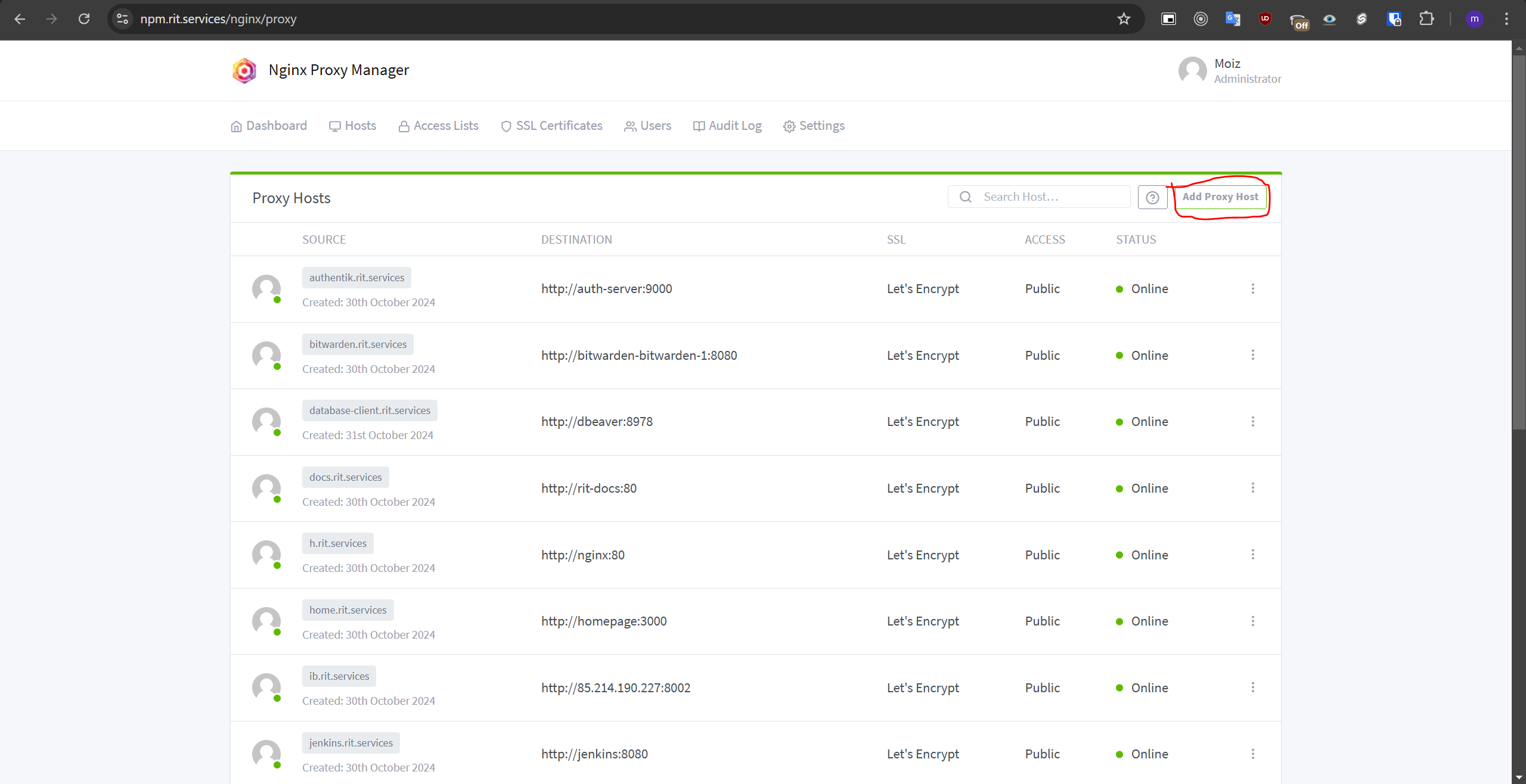
- Go to "proxy hosts"
- Click on "Add Proxy Host".
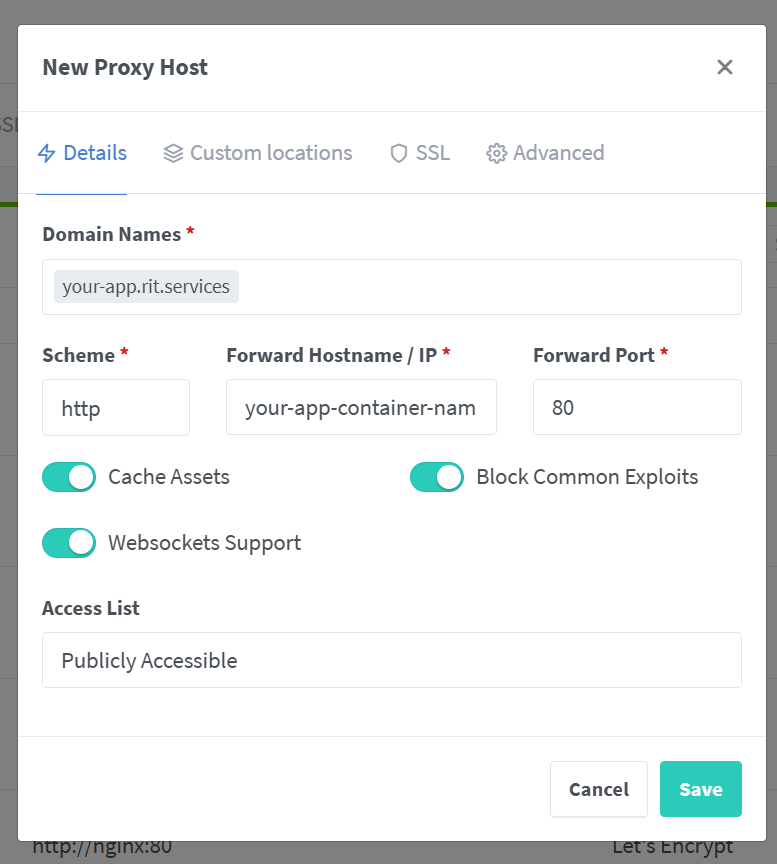
- Fill in the Details.
Note
Please note the Domain Names field contains the URL that you decided on and got the DNS from Matthias from. Forward Hostname field contains the name of the docker container you created on portainer. Forward Port is the internal port of the docker container you created in portainer.
- Go to the SSL Tab.
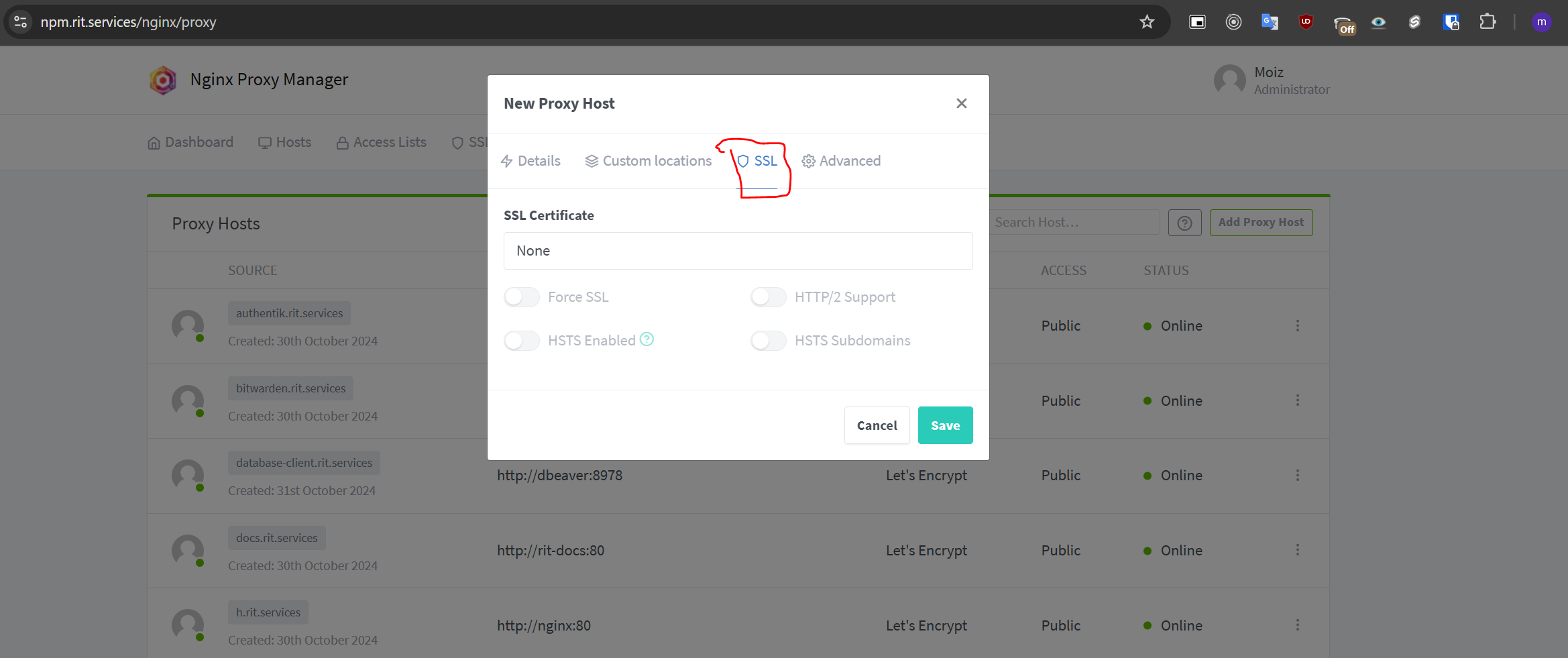
- From the SSL Certificate drop down choose
Request a New SSL
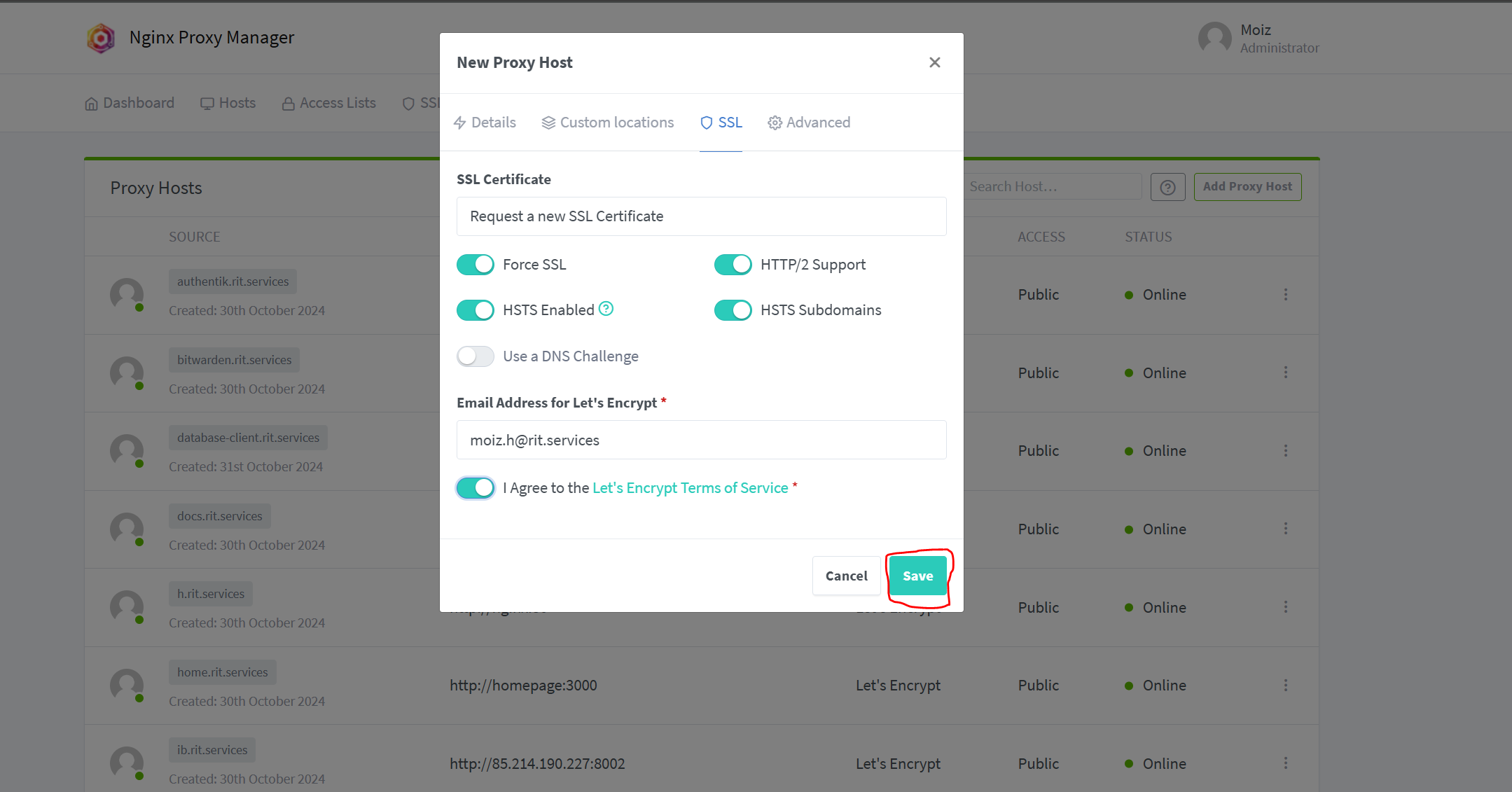
- Make the Radio Button as the following images.
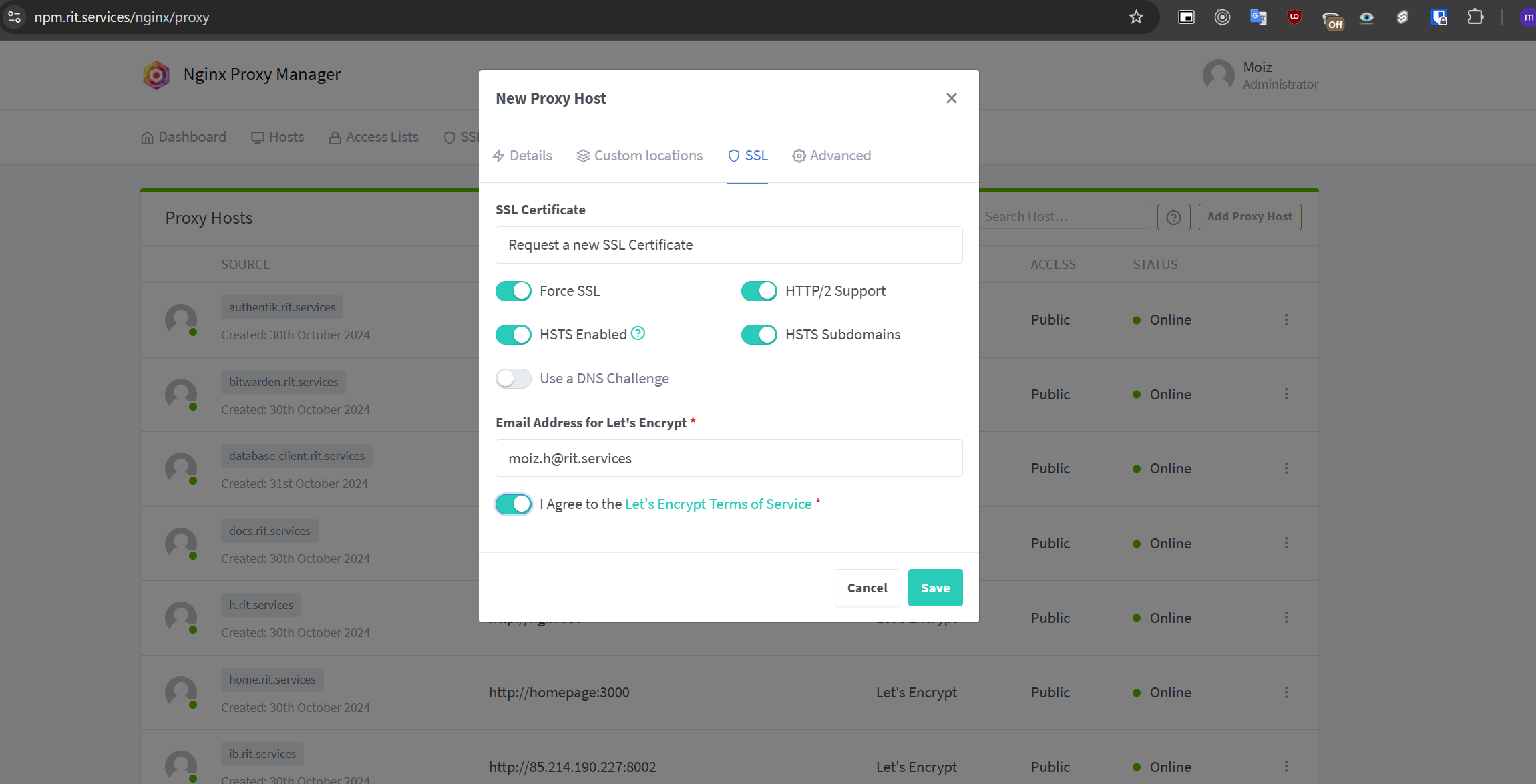
- Click on Save button to Save