Connecting Jira Bugs to GitHub Issues
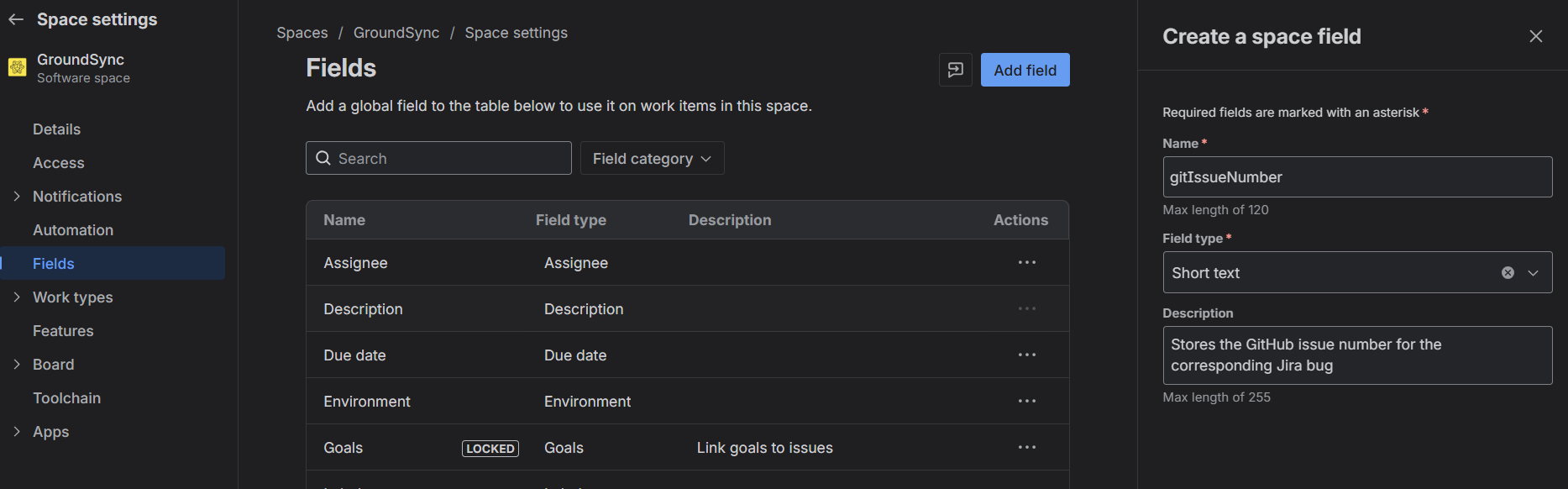
Create a field in Jira to store GitHub issue numbers
- Navigate to Jira → Project → Settings → Fields
- Click Create and select Create a new field
-
Enter the following details:
-
Name: gitIssueNumber
- Description:
Stores the GitHub issue number for the corresponding Jira bug
- Type:
ShortText
- Required:
No
1. Add Filter for Create WorkItem
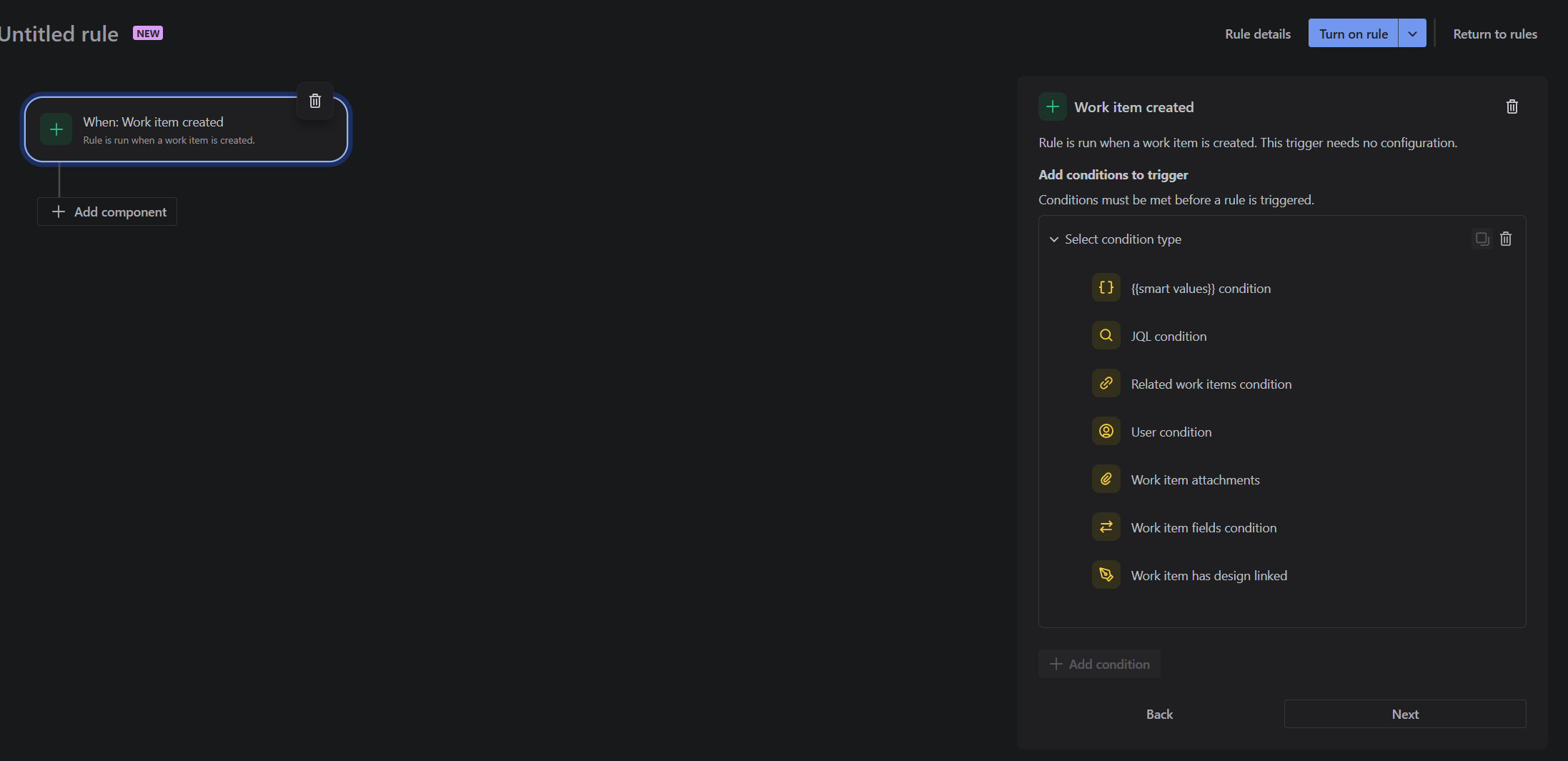
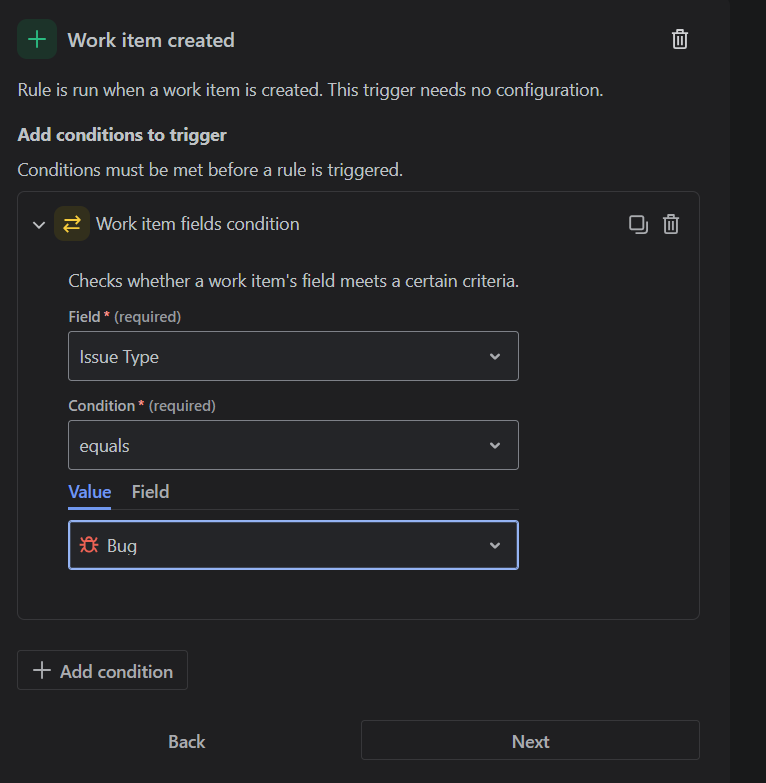
2. Add Filter for BUG WorkItem
Select the add condition from the menu and then work item field condition.
Configuration:
- Issue type must be equal to BUG
3. Adding Web Hook
Hit Next from the previous step and add a 'then' condition.
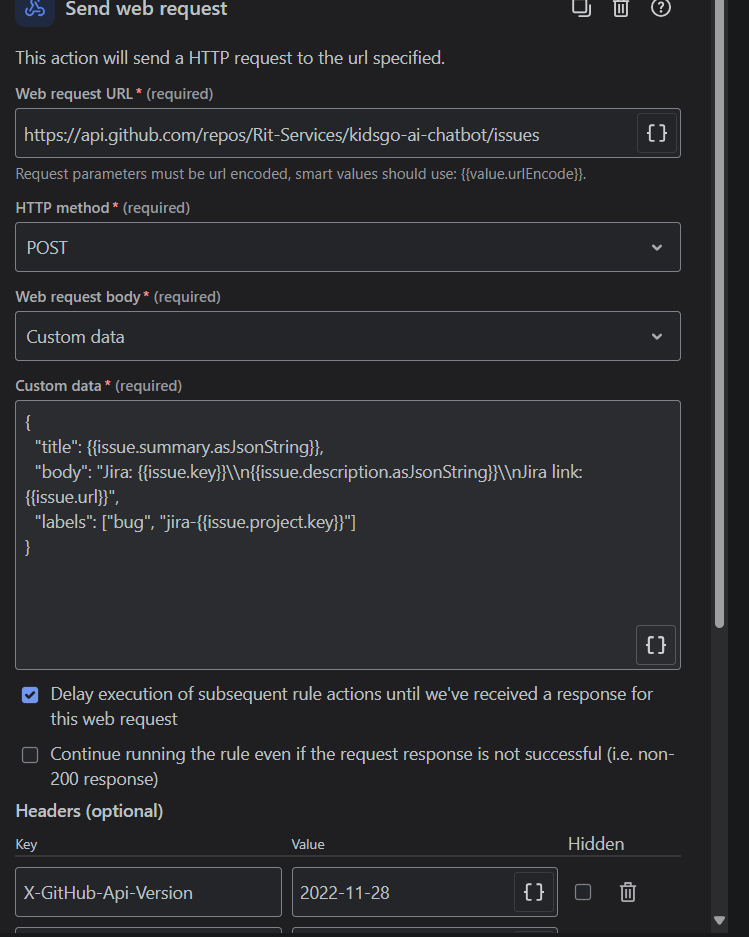
Inside the then condition, search and select the 'Send web hook' and follow these steps:
3.1 Web Hook Configuration
a. GitHub Settings
First, you need to create a Personal Access Token (PAT) in GitHub to allow Jira to authenticate and create issues on your behalf.
Steps:
- Navigate to GitHub → Settings → Developer settings → Personal access tokens
- Click "Generate new token"
- Inside the "Ownership" section, select your RITS
- Choose the appropriate scopes/permissions. For this integration, you need
repo access to manage issues
- Generate the token and copy it immediately, as you won't be able to see it again. Store it securely in Jira's Automation secrets
b. Webhook URL
The webhook URL is the GitHub API endpoint for creating a new issue. Replace OWNER and REPO with your GitHub username or organization name and the repository name, respectively.
https://api.github.com/repos/OWNER/REPO/issues
c. HTTP Method
Accept: application/vnd.github+jsonAuthorization: <select your secret key GITHUB_BEARER> (use Jira Automation secret Type Bearer before pasting the PAT)X-GitHub-Api-Version: 2022-11-28 (optional)User-Agent: JiraWebhook
e. Body
Select application/json as the content type and use a raw body. Use Jira smart values to dynamically insert Jira issue fields into the GitHub issue.
{
  "title": "{{issue.summary.asJsonString}}",
  "body": "Jira: {{issue.key}}\n{{issue.description.asJsonString}}\nJira link: {{issue.url}}",
  "labels": ["bug", "jira-{{issue.project.key}}"]
}
f. Delayed Response
Select the option for delayed execution.
3.2 Storing Issue Number
After creating the webhook, add another then condition to store the issue number in a variable that you created in fields.
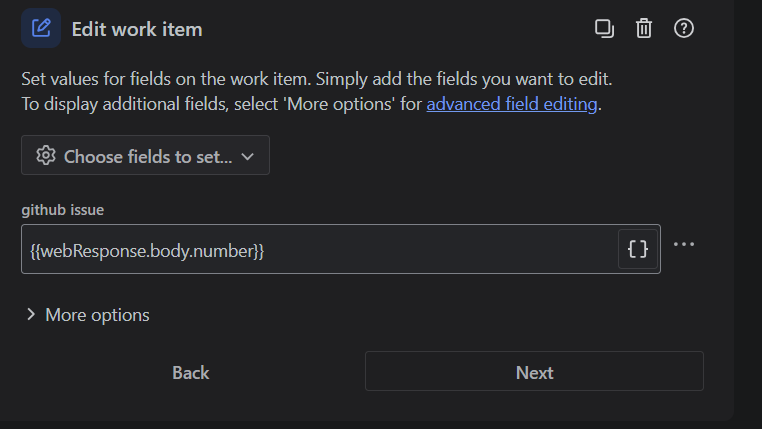
Final Steps:
Closing Webhook for Bugs
1. Add a Filter for Field Values Changed
Configuration:
- Field:
status
- Operator:
Any changes to the field value and Transition work item
- For:
Edit work item
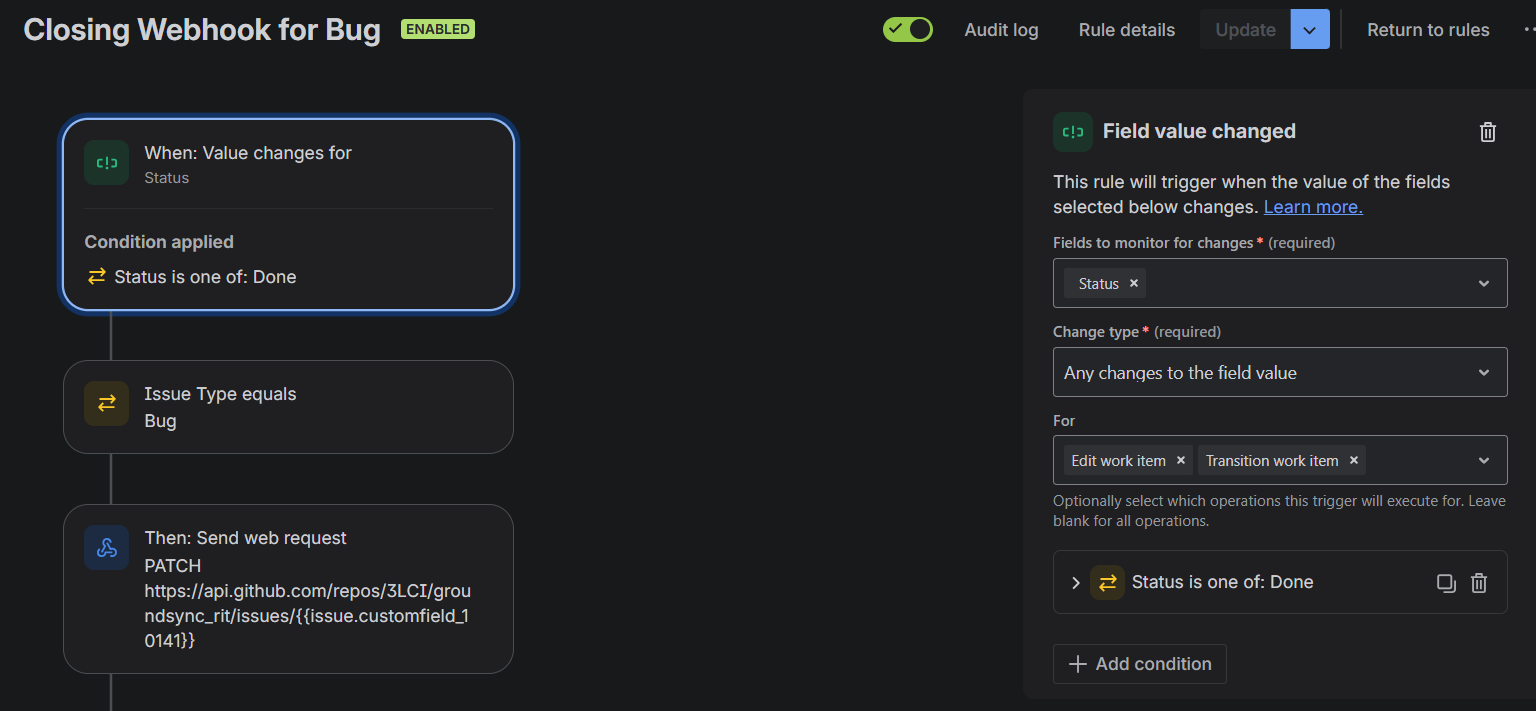
Add condition to it for the desired status. Final settings should look like this:
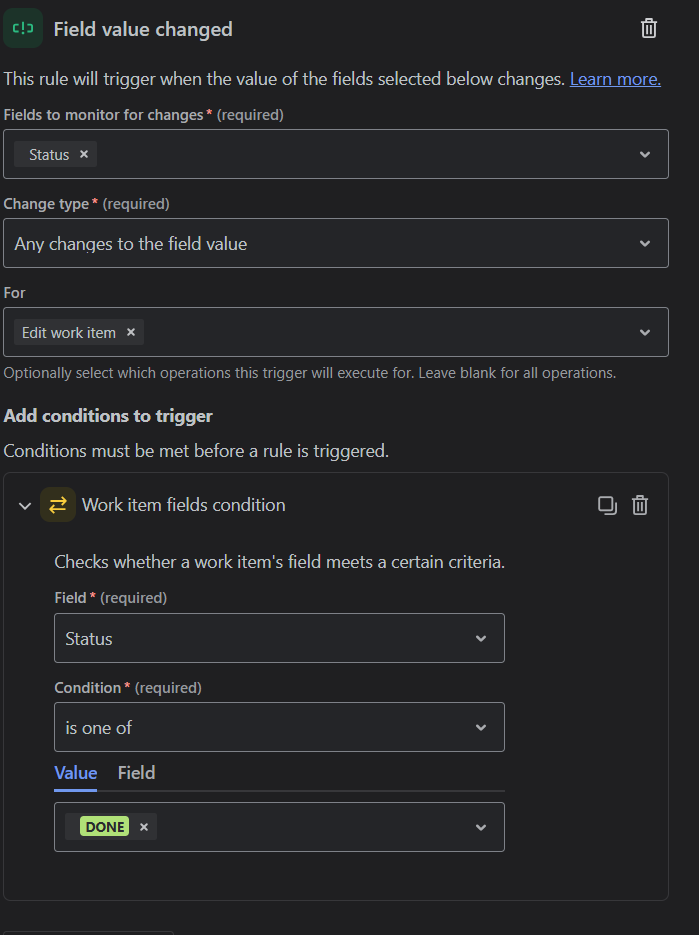
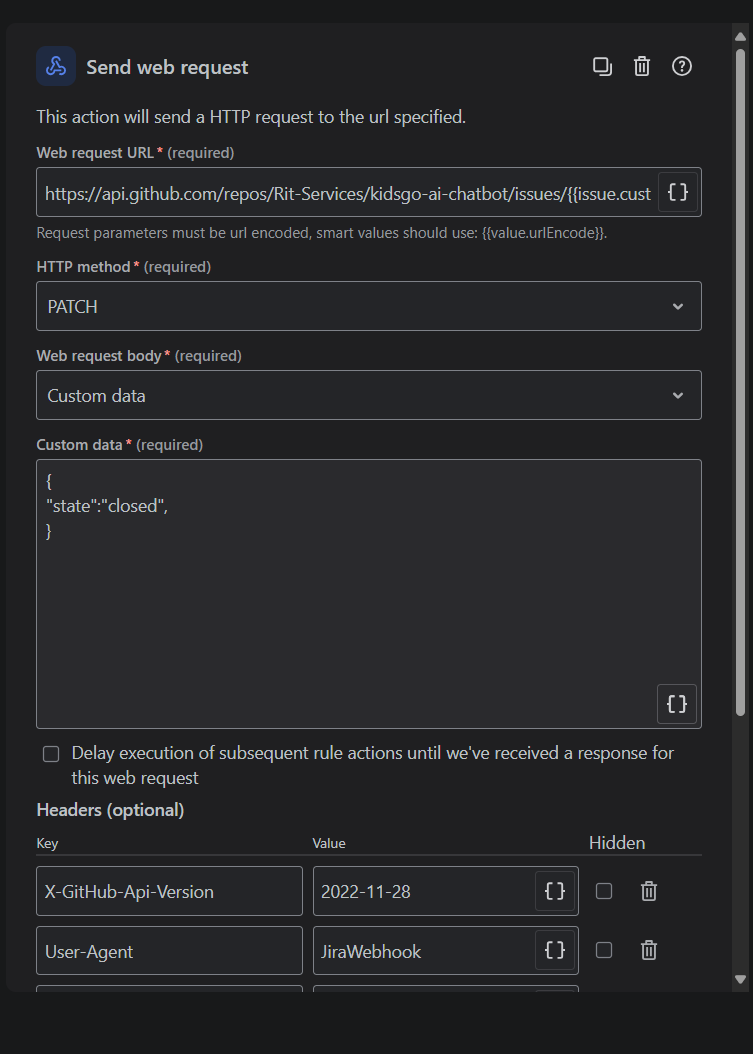
2. Webhook Configuration
Webhook URL
https://api.github.com/repos/OWNER/REPO/issues/{{{{issue.customfield_10109}}}}
Note: Replace issue.customfield with the ID of the custom field you created in Fields. There is a small '{}' icon next to the web URL field from where you can search it.
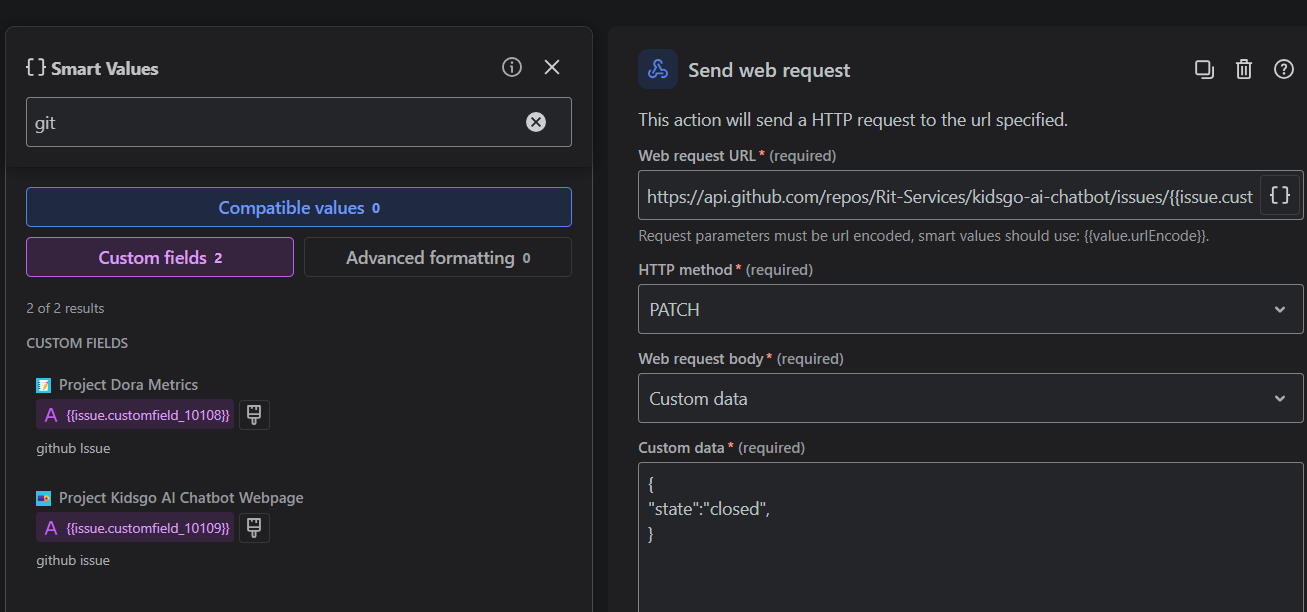
HTTP Method
Accept: application/vnd.github+jsonAuthorization: <select your secret key GITHUB_BEARER> (use Jira Automation secret Bearer before pasting PAT)X-GitHub-Api-Version: 2022-11-28 (optional)User-Agent: JiraWebhook
Body
Final Steps:
- Hit Next and save the rule
Summary
This integration allows you to:
- Automatically create GitHub issues when Jira bugs are created
- Store the GitHub issue number in a Jira custom field
- Automatically close GitHub issues when the corresponding Jira bug is resolved
Prerequisites:
- GitHub Personal Access Token with
repo permissions
- Jira Automation permissions
- Custom field in Jira to store GitHub issue numbers